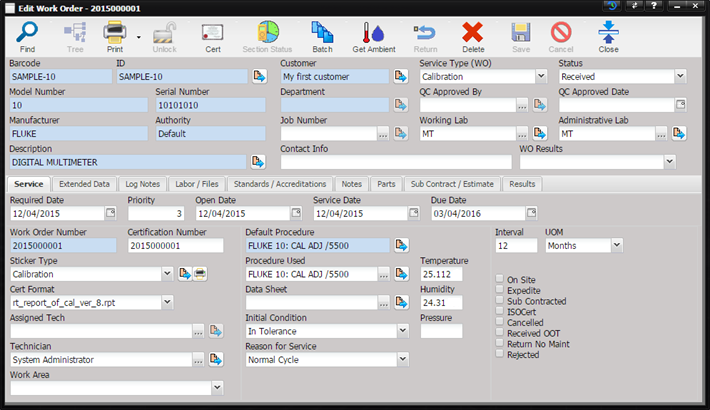
The Work Order screen is where all of the maintenance data is collected and recorded. Based upon the maintenance type, different data elements are required in order for the Work Order to be closed.
Note: Closed (History) Work Orders can be viewed by
clicking the Inactive button on the Find dialog and entering the search
criteria.
At first glance, it appears there is a lot of data to be entered by the technician. However, much of the Work Order data is usually populated by the receiving process or the Asset type information. Some of the data is reference information that can be used by the technician for reference and verification purposes. The Labor/Files tab is where the technician is required to enter and record their work. This screen has been designed to provide quick data entry for the technician, while giving the technician all of the critical information needed to complete the maintenance process.
The functionality of the Unlock, Section Status, Batch, and Get Ambient toolbar buttons is described below.