Batch Change is used to change multiple Work Orders at one time. Log notes and Location can be added, Status can be changed, Work Orders can be subcontracted, Delay Date can be changed, QA approvals can be performed and Work State can be changed.
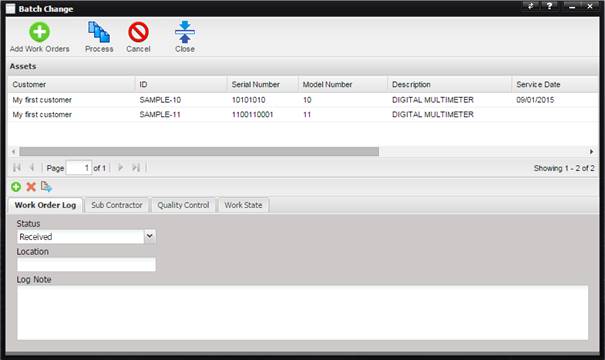
Note: Each tab must be
processed independently.
Examples:
If the need existed to sub contract a repair, the following steps would be required.
1.
Enter the Sub
Contractor information using the Sub Contractor tab.
2.
Select the
Process button.
If the need existed to add a Log Notes, the following steps would be required.
1.
Enter a Log Note
using the Work Order Log Notes tab.
2.
Select the
Process button.