The Quality
Control tab is for entering when and who performed the quality check. The changes will be reflected on the Work
Order once the Process button is selected. This tab must be the active tab when
the Process button is selected.
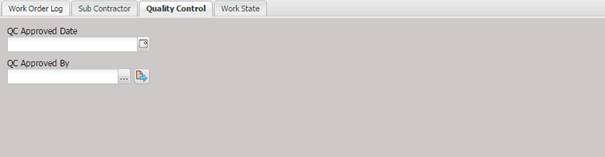
· QC Approved Date - This date field allows batch changing of the QC Approved Date on the Work Order indicating the date the QA person reviewed this service event. This date will be applied to the selected Work Orders.
· QC Approved By – This field allows batch changing of the QC Approved By on the Work Order indicating the person who reviewed this service event. Only those Users with “QC Approval” rights can be selected.
o The QC approver can be selected or changed by selecting the “…” button. If the logged in user does not have “QC Approval” authority, a prompt for a username and password is displayed.
o The QC approver can be viewed or changed by selecting the Quick Link button.