The Groups option is for creating user Groups and adding members to the Groups.
·
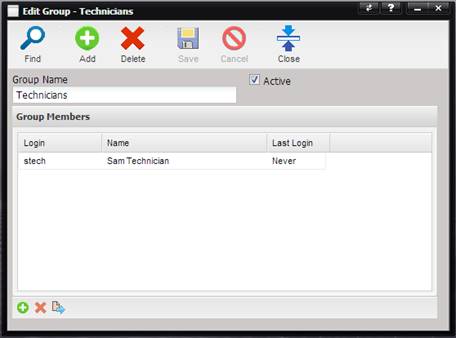
Group Name –
The name of the Group being displayed.
Note: Be aware that renaming a default group name could cause
MET/CAL to not recognize the users permissions properly.
·
Active – If
checked, the Group is visible in the MET/TEAM application.
·
Group Members Grid–
Displays the Users that are assigned to this Group.