The Asset Characteristics tab displays additional
information that can be collected for the Asset.
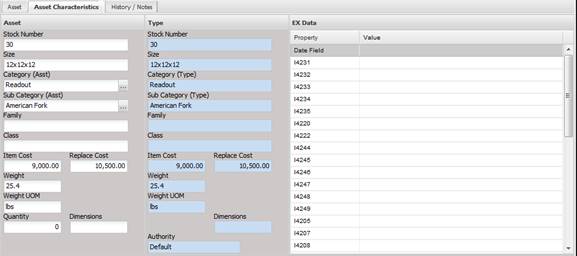
These are extended characteristics of the Asset. They model the same behavior as described above for the Asset tab.
· Stock Number - The stock number of the Asset.
· Size - The size of the Asset.
· Category (Asst) – The general category of the Asset. Could contain such data as Electronic, Dimensional, Mass, Laser, Flow, etc.
· Sub Category (Asst) – The sub category of the category for this Asset. Could contain such data as Power Meters, Handheld Meters, Scopes, etc.
· Family – Allows the user another field to specify like data for one or more Assets.
· Class - Allows the user another field to specify like data for one or more Assets.
· Item Cost – The purchase price of the Asset at the time of purchase.
· Replace Cost – The cost required to replace the Asset.
· Weight – The physical weight of the Asset, mainly used for shipping or determining how many people are needed to move the Asset.
· Weight UOM – Unit of measurement for the weight.
· Quantity – The quantity of items contained in this Asset. Allows for grouping Assets in a set. When billed by a standard price, the quantity is multiplied by the standard price.
· Dimension – The physical dimension of the Asset.
· Authority – The source of the data. Example would be Manufacturer, NAVAIR, NAVSEA, SYSCAL, etc.
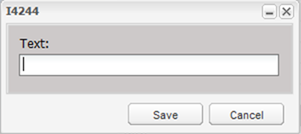
The EX Data grid tracks user defined Asset characteristics. In the event that MET/TEAM does not have a native data element required by the user, MET/TEAM has the capability to add and track additional Asset characteristics. These values can be modified by double clicking on the element in the grid. The user is then prompted to enter or edit the data. Value validations can be created for almost any data type.