The System
Defaults menu contains defaults used throughout MET/TEAM. These system defaults
are systemic, the changes made affect all users within MET/TEAM.
The Find System Default screen is displayed when from
the Configure menu System Defaults submenu.
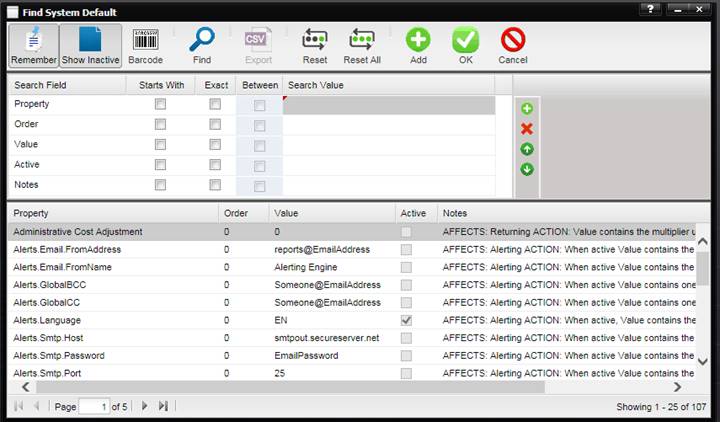
Some behaviors of MET/TEAM can be modified by the user depending upon the business needs. Items such as reports, turn-around-time, taxes, etc. can be modified to better fit the business practices of the user.
1. For Receiving, Receiving – Priority, and Returning System Defaults, additional records can be added. Customers can add any number of reports to be printed from the Returning and Receiving Print by adding another System Default.
2. All reports specified in the System Default(s) “Returning” or “Receiving” are printed from the Print button on the Returning and Receiving screen, respectively.
3. The order these reports print is based on the System Default Order. If there are more than one Returning (or Receiving) System Defaults with Order =1, it still prints the reports.
4. The Returned By field on the Work Order only prints the report that is in the System Default Returning where the Order=0.
5.
Conclusion:
1. Making the property of Returning and Receiving System Defaults unique is not going to work. We have existing customers with multiple Returning and Receiving System Defaults so they can print multiple reports from these Print buttons.
2. The Returning and Receiving Print buttons must print the multiple reports specified in the System Defaults. Now that we’ve added Export to the Print button, the Export must export the multiple reports also.
3. If I have setup 4 Returning reports in the System Default and have the Order= value set to 0, 1, 2, 3 the reports must print in that order.