A System Default can be added by selecting the “Add” button on the screen toolbar. Generally, these additional System Defaults are added for printing multiple reports.
For example:
Currently, MET/TEAM uses two System Defaults to print two different reports from the Receiving Screen.
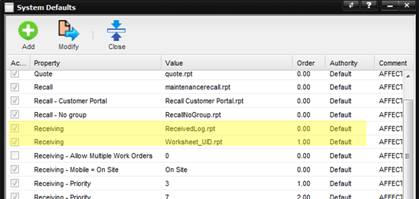
If a third report was needed, select the “Add” button on the toolbar.
The Add a System Default screen is displayed.
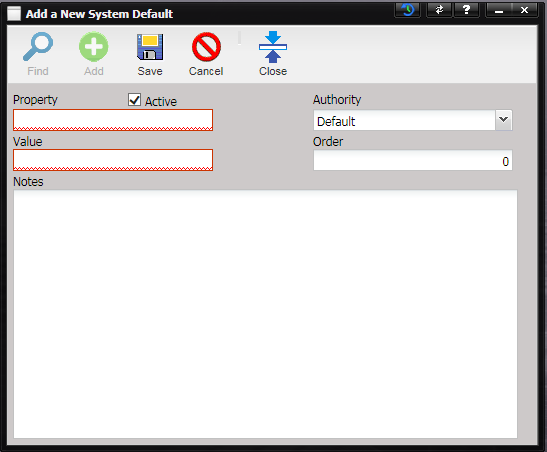
- Property – The screen that the System Default applies to.
- Active – If checked, the System Default is active and being used by MET/TEAM.
·
Authority –
The authority indicator for this System Default.
·
Value – The
entry specified in the notes for this System Default.
Note: The Value field
must be in English and if the Value is a number, the numbers must be formatted
EN-US.
·
Order – If
“0” (zero), the parameter passed to the report is the parameter that is common
to all work order that we just created in the receiving process. If order is
greater than “0” (zero), nCallSheetUID is sent to the report. The report will
show only data related to one work order record.
·
Notes –
Explains what the System Default does. In the System Default for Receiving when
the Order is set to 1, the notes states: “AFFECTS: Receiving ACTION: If ‘Order’<>0 then “Value”
contains the name of any additional reports to be run during receiving.”