In some areas of MET/TEAM, where note fields exist, click in the field and press [ALT]+[Q] keys. This opens the Select Note page which is designed to speed up the data entry process by allowing the user to select predefined blocks of text that are inserted into the Notes field.
The text blocks within Quick Notes
can contain one or many lines of text, supporting tabs, and spaces allow the
pre-formatting of text. Quick Notes is a systemic feature, meaning that notes
entered can be used by all MET/TEAM users.
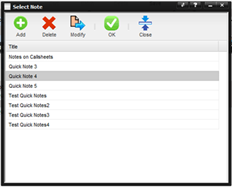
The Select Note screen displays the title of each defined note. To add one of these to the Note field, double click the title.