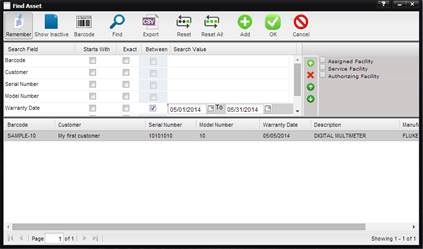
For more intense finds and to export to a CSV queried date, use the MET/TEAM dynamic Find dialogs. MET/TEAM has two different Find processes, the single select and multi-select finds. Both of these finds have the same basic features and allow the user to find and select the desired data quickly and easily.
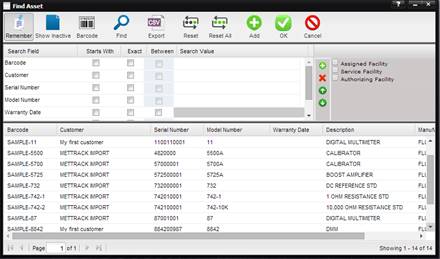
Find Dialog
Single-Select
Each Find screen Search Criteria and Search Values are configurable by the user. Allowing each user in MET/TEAM to configure the Find dialogs to display only the data they need without affecting others users within MET/TEAM.
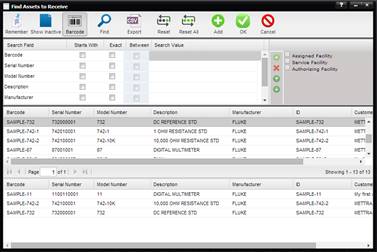
Find Dialog
Multi-Select
Find criteria are remembered by MET/TEAM when the Remember button is depressed. When the user returns to the Find dialog the last used data is still present expediting user input and making the search for data in MET/TEAM fast and user friendly.
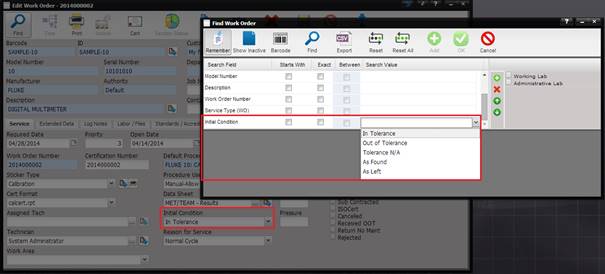
If the Search Field is a dropdown on the associated screen, the Search Value appears as a dropdown on the Find screen. For example, on the Asset screen, the field ‘Disposition’ is a dropdown. When the cursor is positioned in the Search Value for the Search Field ‘Disposition’ on the Find Asset screen, the dropdown and values are presented to the user.
If the Search Field is a date field, the checkbox in the Between column is enabled. When checked, the Search Value appears as a set of date pickers and allows a date range to be selected. Leaving either one of the date pickers blank causes that date to be set to today’s date.
Note: Dates selected from the date picker or entered prior to 1970
are not valid.