To receive the Assets identified as due for recall, refresh the grid with the “Do Not Group by Customer” check box checked and press the Receive button. The Receiving screen opens with the assets listed here.
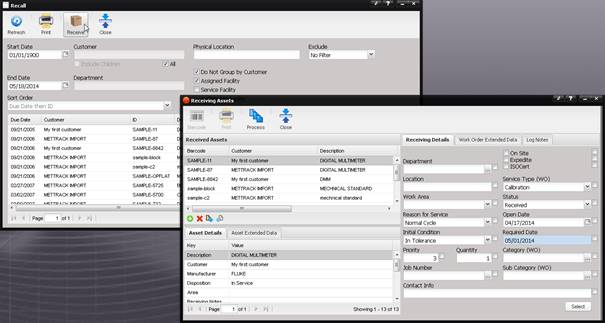
Continue receiving the Assets using the Receiving screen.