The following provides an example of how costs are calculated using the Standard Hours algorithm.
1.
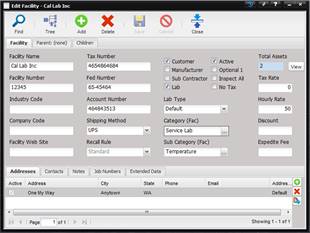
Create a Facility
and assign an hourly rate. In this example the Facility Name is “Cal Lab Inc”
and the hourly rate is $50.
2.
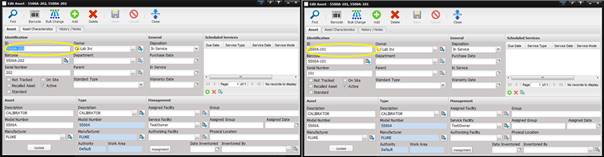
The Facility owns
two Assets with IDs of 5500A-101 and 5500A-202.
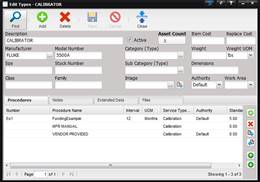
The Procedure associated with the Asset type (5500A) is called “FundingExample” and is displayed on the Type screen.
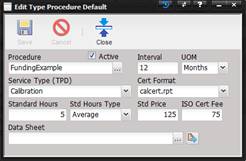
The
“FundingExample” procedure states 5 standard hours, a standard price of $125,
and ISO cert Fee of $75.
3.
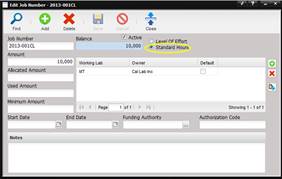
Create a Job
Number for the Facility “Cal Lab Inc”. Specify that the costing will be based
on “Standard Hours” by selecting the Standard Hours option and with an amount
of $10,000.
4.
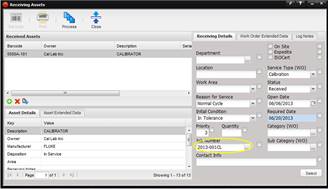
Receive Asset
5500A-101 into the Servicing Lab by selecting the Receiving menu option and
then Processing the Asset. Notice the Job Number is brought into the Receiving
screen.
5.
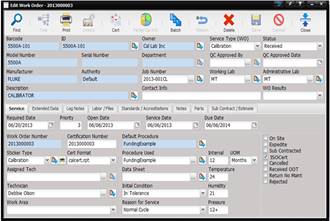
Open the Work
Order that was created during the receiving process. In this example, the Work
Order number is “2013000003”. Enter a Service Date, Due Date, and Procedure
Used (“FundingExample”). Select the Save button.
6.
A Work Order can
only be returned if the Status is “Complete”. Create a Log Note, select
“Complete” as the Status, and save the Work Order. Now select the Return
button.
·
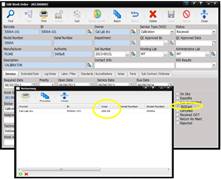
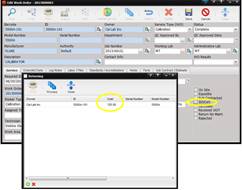
The Return screen
displays a cost of $200 which is derived from the Std. Price and in this case
the ISO Cert Fee from the FundingExample procedure.
o
Calculation =
$125 (Std. Price) + $75 (ISO Cert Fee) refer to step #2.
·
Uncheck the
ISOCert check box on the Work Order and the Returning cost = $125 (Std. Price).
o
Calculation =
$125 (Std. Price)
·
With the ISOCert
check box unchecked, add 2.5 hours of Labor to the Work Order by going to the
Labor/Files tab and selecting the green “+”
button on the left side at the bottom of the screen. Select the Return button
and the Returning cost = $250.
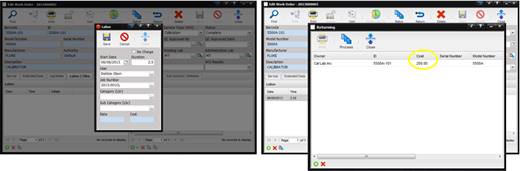
Note: The dollar amount on
the labor record WILL NOT change once saved even if the labor rate changes. To
adjust the dollar amount the labor record must be deleted and reentered.
·
Change the Std.
Price on the “FundingExample” procedure to $0, keep the ISOCert check box
unchecked on the Work Order, the Return screen displays a cost of $375.
o
Calculation = 5
(std hours)* $50 (customer rate) + 2.5 (labor hours on Work Order) * (customer
rate)
o
If the Customer
hourly rate is removed from the Facility screen, this calculation remains the
same because the labor was added prior to the Customer hourly rate being
removed.