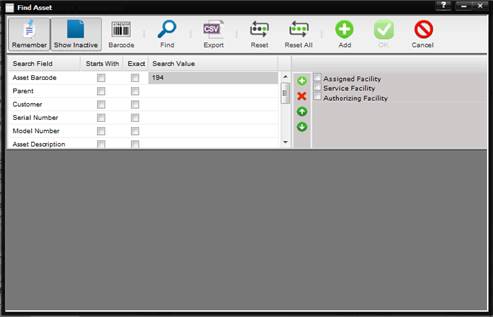
When the Maintenance menu Assets submenu is selected,
the Find Asset dialog is displayed. The functionality of the toolbar buttons is
explained in the section Dialog Menu Action Buttons.
·
If the Assigned
Facility, Service Facility, and Authorizing Facility check boxes are unchecked,
the Find screen grid is populated with all Assets. (Inactive Assets will be
shown in the grid if the “Show Inactive” button is toggled on.)
·
If the Assigned Facility
check box is checked, only Assets with an Assigned Facility matching the
Facility you are logged into are displayed in the Find screen grid.
·
If the Service
Facility check box is checked, only Assets with a Service Facility matching the
Facility you are logged into are displayed in the Find screen grid.
·
If the Authorizing
Facility check box is checked, only Assets with an Authorizing Facility
matching the Facility you are logged into are displayed in the Find screen
grid.