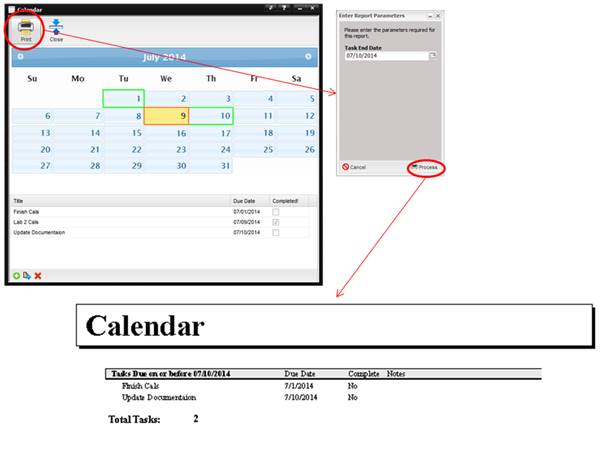
The Calendar provides a place to enter facility wide tasks and appointments. Each day is color coded to describe the type of tasks/appointments associated with the particular day.
·
If
all tasks for a given day are marked as “Completed”, the block for the given
day is highlight in orange.
·
If
there are tasks which are not marked as “Completed”, the block for the given
day is highlight in green.
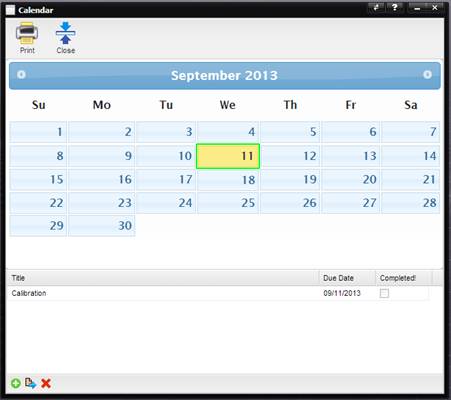
To add a task or appointment, select the “+” button. The Add Calendar Task dialog is displayed.
To modify a task or appointment, highlight the item in the grid and
select the Quick Link button.
To remove a
task or appointment, highlight the item in the grid and select the “X” button.
To print the
calendar, select the Print button. When the Enter Report Parameter screen is
displayed, enter the date through which you want tasks listed. Only tasks which
are not completed are printed.