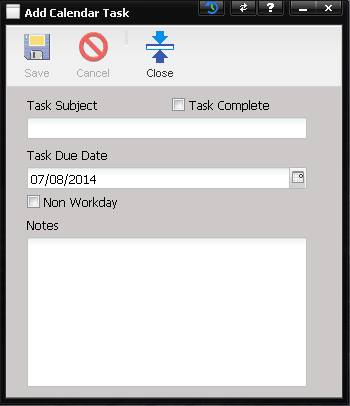
The Add
calendar task dialog pops up whenever the “+”button (located below the task grid) is selected. Tasks
created are automatically added to the task list for the associated month.
·
Task Subject
– The description of the task.
·
Task Complete –
To mark the task as complete, select this checkbox.
·
Task Due Date –
The date the task is due. If the day the task is due is highlighted in the
calendar, it displays the task in the Tasks grid. If the task is past due and
is not completed, it continues to display in the Tasks grid.
·
Non Workday –
Select this checkbox to mark the Task Due Date as a day where work will not occur.
Non workdays are taken into account when calibration due dates are calculated.
·
Notes – Any
additional information regarding the task.