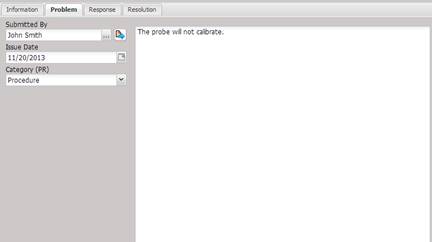
The Problem
tab is for inserting the problem description in detail.
·
Submitted By
– The name of the person completing the problem report.
o The submitted by can be selected or changed by selecting the “…”button.
o The submitted by to facility can be viewed by selecting the Quick Link button.
·
Issue Date –
The date the problem report was issued.
·
Category (PR) –
The category of the problem report. To manage the values in the drop-down list,
right-click the label above the field and select Edit Combo Data from the popup
menu.
·
Notes – Text
identifying the details of the Problem.