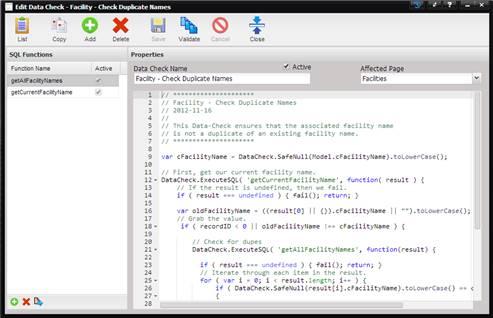
The Edit Data Check screen is used for both adding and editing existing Data Check validation scripts. Syntax highlighting is included for making writing data checks easier.
·
SQL Functions – This grid displays any
associated SQL strings that you wish to access from the Data Check.
·
Data Check Name – The name
given to this particular Data Check.
·
Affected Page – The page
(screen) that this Data Check is being applied to.
·
Active – If checked, the Java Script is
executed each time the selected Page is saved.
·
Text Area – The area where the Java Script
is written.
The buttons at top of the screen perform multiple functions.
List – Used to display a list of Data Checks.
Add – Used to add a new Data Check.
Copy – Used to copy an existing Data Check.
Delete – Used to delete a Data Check.
Save – Used to save a Data Check.
Validate – Used to validate the Data Check.
·
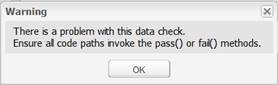
If the Data Check
does not pass validation, a message box is displayed.
·
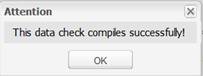
If the Data Check
passes, a success message is displayed.
Cancel – Used to cancel the adding activity.
Close – Used to close the screen.