Business Status allows managers to view work in progress, and look at past work. Business Status is designed to give the manager enough information to quickly identify areas of concern, to plan budgets and workload, as well as show process bottlenecks.
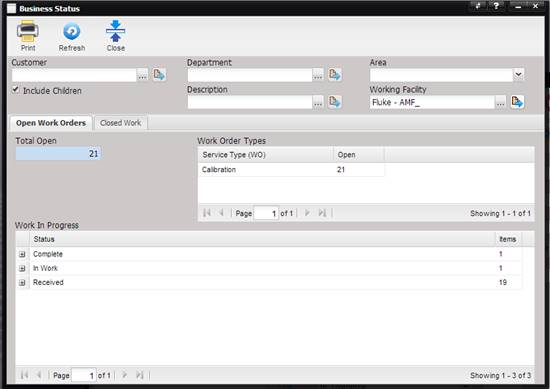
The business status screen can be filtered by Asset Customer, Department, Area, Description Type, and Working Facility (in multiple facility data stores, by one or all facilities). When filtered for one Customer, the “Include Children” check box provides the option of including data for the Customer’s related children facilities.
Note: These filters are
additive in function and are applied in addition to the date filters.
To update the data on the screen, click the Refresh button.