The Batch Printing option is for generating certificates, Work Order reports, or stickers for multiple work orders at once. The certificates and stickers are defined on each Work Order. The filenames are controlled on the Work Order for the certificates and the stickers. The Work Order is the standard Work Order report.
The output is a combined PDF or compressed archive (ZIP) of individual PDFs.
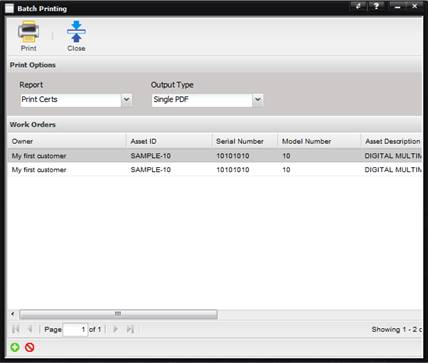
Report – The type of report to print (selection: Certs, Stickers, or Work Orders).
Output Type – Print to a single PDF (all reports combined into one PDF) or to a ZIP file (each report is a separate PDF).
The Work Order information is displayed in the grid. To add Work Orders, use the “+”button at the bottom of the grid. Use the “X” button to remove a Work Order from the list.