The Asset Details window displays additional Asset characteristics.
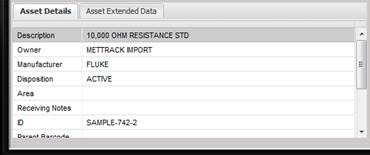
This information can be used to insure the correct Asset is being received. If there are additional instructions that need to be followed, such as receiving notes, they are displayed here. The displayed information is for the Asset highlighted in the Received Assets grid.
Many times there are more elements present for this Asset than can be displayed in the Asset Details window. To view the additional elements, scroll up and down using the scroll bar on the right side of the Asset Detail section. Asset Details can be sorted by ascending or descending order by clicking on the header of the column.
The information in this window is read only. If any of the displayed data needs to be modified, the user must do that on the Asset screen. To quickly get to this Asset, click the Modify button next to the Received Assets grid.