The Register dialog contains information related to the user
that is necessary for submitting a license registration request. The user is
prompted for Company Name, Mailing Address, Postal Code, Country, Contact Name,
Phone, and Gold Number.
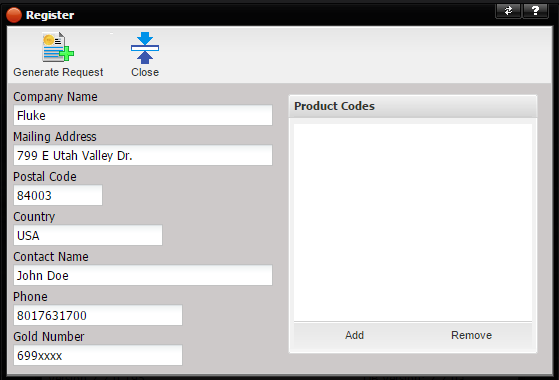
All fields on the Register screen are required except for the Gold Number.
·
If your Company
is a Gold Member, enter the Gold Number. To ensure the correct number of
licenses are generated, make sure to enter a valid Gold membership number. The
number is saved and then recalled each time the Register screen is displayed.
·
If your Company
is not a Gold Member, leave the Gold Number blank to prevent license request
from being rejected due to an invalid membership ID.
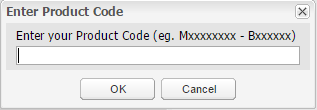
Once the
fields are complete, select the Add button to enter one or multiple product
codes. Each product code must be entered one at
a time.
Note: Product Codes are shipped to the address on
the purchase order at the time of purchase. If you do not have product codes,
please contact your purchasing agent.
For first time registration, the Product Codes list on the Register screen will be blank. The Product Codes are saved once entered and recalled each time the Register screen is displayed. When additional licenses are purchased, add the new Product Code to the end of the list.
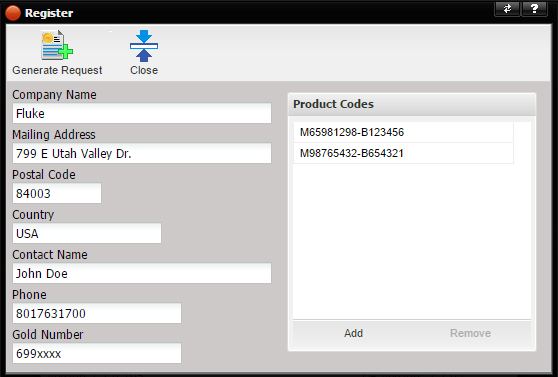
When the Generate Request button is selected, the information provided by the user is translated into a License Request. The Register screen is displayed with the license request information displayed.
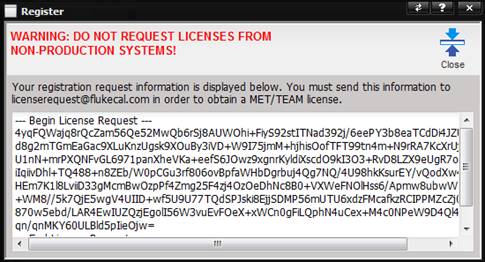
Copy the information exactly as is into the body of an email,
including the ---Begin License Request --- and --- End License Request ---
tags, addressed to licenserequest@flukecal.com.
Do not add additional information to the license registration request.
Once your license request is processed and assuming the
license request information is valid, you will receive an email reply from licenserequest@flukecal.com
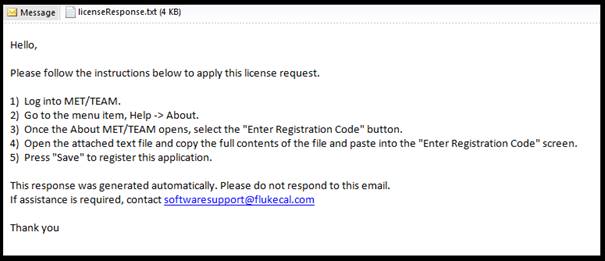
containing the license data in an attached text file.