Inventory items and services have default properties that cause tax to be charged. If tax for the individual line needs to be modified, double click the item in the Invoice Items grid. A prompt is displayed asking if tax is to be applied to this line item.
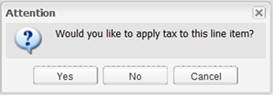
Select “Yes” to mark this line as taxable. Select “No” to uncheck the taxable check box on this line item. Select “Cancel” to dismiss this prompt.