The Line Items tab displays a list of the Work Orders, Parts, and non-service Labor.
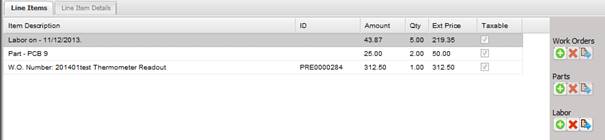
· Item Description – The description of the Work Order, Part, or Labor.
· ID – The Work Order number.
· Amount – The unit cost to the customer for this item.
· Qty – The quantity being invoiced for this item.
· Ext Price – The calculation of Amount * Qty which is the total cost to the customer for this item.
· Taxable – Whether or not the line item is taxable.
o To apply tax to a line item, double click the line item.
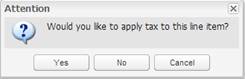
o A prompt is displayed asking the user whether or not to apply tax. The taxable check box displays checked when ‘Yes’ is selected from this prompt.