Note: Manual Templates
are not required if you are using MET/CAL or Excel ™ for your data collection
- Select the Manual Templates submenu from the Maintenance Menu.
- Select the Add button on the Find Manual Template screen to enter the Add Manual Template screen.
- Select the Template tab and enter a Template Name which is required as indicated by the red squiggled text box
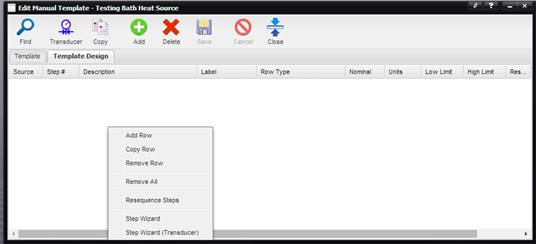
- Select the Template Design tab and begin entering test points by using the menu provided after right clicking in the grid.
- Once the template is complete, select the Save button.
- For more information on Manual Templates, refer to the Manual Template section of this On-Line Help.